Getting ready for online darts
Playing darts online against real opponents over webcam is easier to set up than most people think. You do not need an expensive professional setup or specialist equipment. In fact, most players already own half of what they need. This guide walks you through every item on the checklist so you can go from zero to your first online match as quickly as possible.
Whether you are a seasoned league player looking to practice between sessions or a complete beginner wanting to try competitive darts from home, here is exactly what you need.
1. A dartboard
The dartboard is the centerpiece of your setup. For online darts you have two main options:
- Bristle (steel tip) dartboard — The standard for competitive darts. Made from compressed sisal fibers, these boards are self-healing and last for years. Brands like Winmau Blade 6 and Unicorn Eclipse are popular choices. Mount it at the regulation height of 173cm from the floor to the center of the bullseye.
- Soft tip (electronic) dartboard — These boards use plastic-tipped darts and have built-in scoring. They are quieter than bristle boards, making them a good option if you live in an apartment with thin walls. Most online platforms accept soft tip boards for casual play.
For competitive online darts on platforms like Moneydarts, a bristle dartboard is recommended. It matches the format used in professional darts and gives both players a clear, familiar viewing experience on camera.
Always use a dartboard surround or backboard to protect your wall from stray darts. A black surround also helps your camera produce a cleaner image with better contrast.
2. Darts
Any set of darts you are comfortable throwing will work for online play. There are no restrictions on weight, shape, or material. Most competitive players use steel tip darts between 20g and 26g, but the choice is entirely personal.
If you are just starting out, a mid-range set of tungsten darts (around 22g-24g) is a versatile starting point. Tungsten darts are slimmer than brass darts, allowing tighter groupings on the board. Budget sets start at around 15-20 euros, while premium match-quality darts can cost 40-80 euros.
3. A webcam or smartphone
This is the key piece of equipment that makes online darts possible. Your camera shows your opponent your board so they can verify every throw. You have several options:
- Smartphone (best budget option) — Most modern smartphones shoot 1080p video or better, which far exceeds the 720p minimum. Mount your phone on a tripod, open the platform in a second device (laptop or tablet), and use the phone purely as your camera. This is how most players start.
- USB webcam — A dedicated webcam like the Logitech C920 or C922 gives you reliable 1080p video with autofocus. It connects directly to your computer via USB, so everything runs from one device. Webcams typically cost 50-80 euros.
- Tablet — An iPad or Android tablet on a stand works well as both camera and playing device. The larger screen makes it easier to see your opponent and the scoreboard during your match.
Whichever option you choose, make sure the camera can produce at least 720p resolution at 30 frames per second. For positioning advice, read our best webcam setup guide.
4. A tripod or mount
A stable camera is essential. Shaky footage makes it hard for your opponent to verify scores and can lead to disputes. Here are your mounting options:
- Phone tripod — A basic phone tripod with adjustable height costs 10-20 euros and works perfectly. Look for one that extends to at least 120cm so you can position the camera at board height.
- Webcam tripod or clamp — Many webcams come with a built-in clip that attaches to a shelf or monitor. A small desktop tripod with a webcam mount gives you more flexibility in positioning.
- Wall mount — For a permanent setup, a wall-mounted phone holder or webcam bracket keeps your camera in the perfect position every time. This is the cleanest option if you have a dedicated darts area.
5. Good lighting
Lighting is arguably the most underrated part of an online darts setup. Poor lighting makes it difficult for your opponent to see where darts land, which slows down the game and can cause disagreements.
- Dartboard surround light (ring light) — A circular LED light that mounts around your dartboard eliminates shadows across the board face. Products like the Target Corona Vision or budget alternatives on Amazon cost 30-80 euros and make a dramatic difference.
- Desk lamp or clip light — A simple lamp angled at the board from above or from the side is a free or very cheap alternative. Avoid placing it directly behind the camera, which can create glare.
- Overhead room light — Your existing ceiling light may be sufficient if it provides even illumination without strong shadows. Test by checking your camera feed before a match.
The goal is even lighting across the entire board face with minimal shadows. Avoid backlighting (light behind the board) as it turns the board into a silhouette on camera.
6. Internet connection
Online darts relies on a real-time video call between you and your opponent. You need a stable connection with at least 3-5 Mbps upload and download speed. Here are some tips:
- Wired ethernet is best — A direct cable connection to your router eliminates WiFi interference and provides the most stable stream. If your setup is far from the router, a powerline adapter can bridge the gap.
- WiFi works for most players — If you have a 5GHz WiFi connection with good signal strength in your darts room, it will work fine. Avoid 2.4GHz if possible, as it is more prone to interference.
- Mobile data (4G/5G) — If you are using a smartphone as your camera and playing device, a strong 4G or 5G connection is usually sufficient. Be mindful of data usage: a 30-minute match can use 500MB-1GB of data.
You can test your connection speed at speedtest.net before your first match. If your upload speed is below 3 Mbps, consider switching to a wired connection or moving closer to your router.
7. A compatible browser
Platforms like Moneydarts run entirely in the browser — no app download required. The following browsers are fully supported:
- Google Chrome — The most popular choice. Excellent WebRTC support for video calls.
- Mozilla Firefox — Fully supported with strong privacy features.
- Microsoft Edge — Built on Chromium, works identically to Chrome.
- Apple Safari — Works on Mac and iOS. Make sure you grant camera and microphone permissions when prompted.
Keep your browser updated to the latest version for the best experience. Older browser versions may have issues with video streaming. For a walkthrough, see our how it works page.
Optional upgrades
Once you have the basics covered, these upgrades can improve your experience:
- Darts mat (oche) — A rubber mat with a built-in throw line ensures you always stand at the correct distance (237cm for steel tip). It also protects your floor from dropped darts.
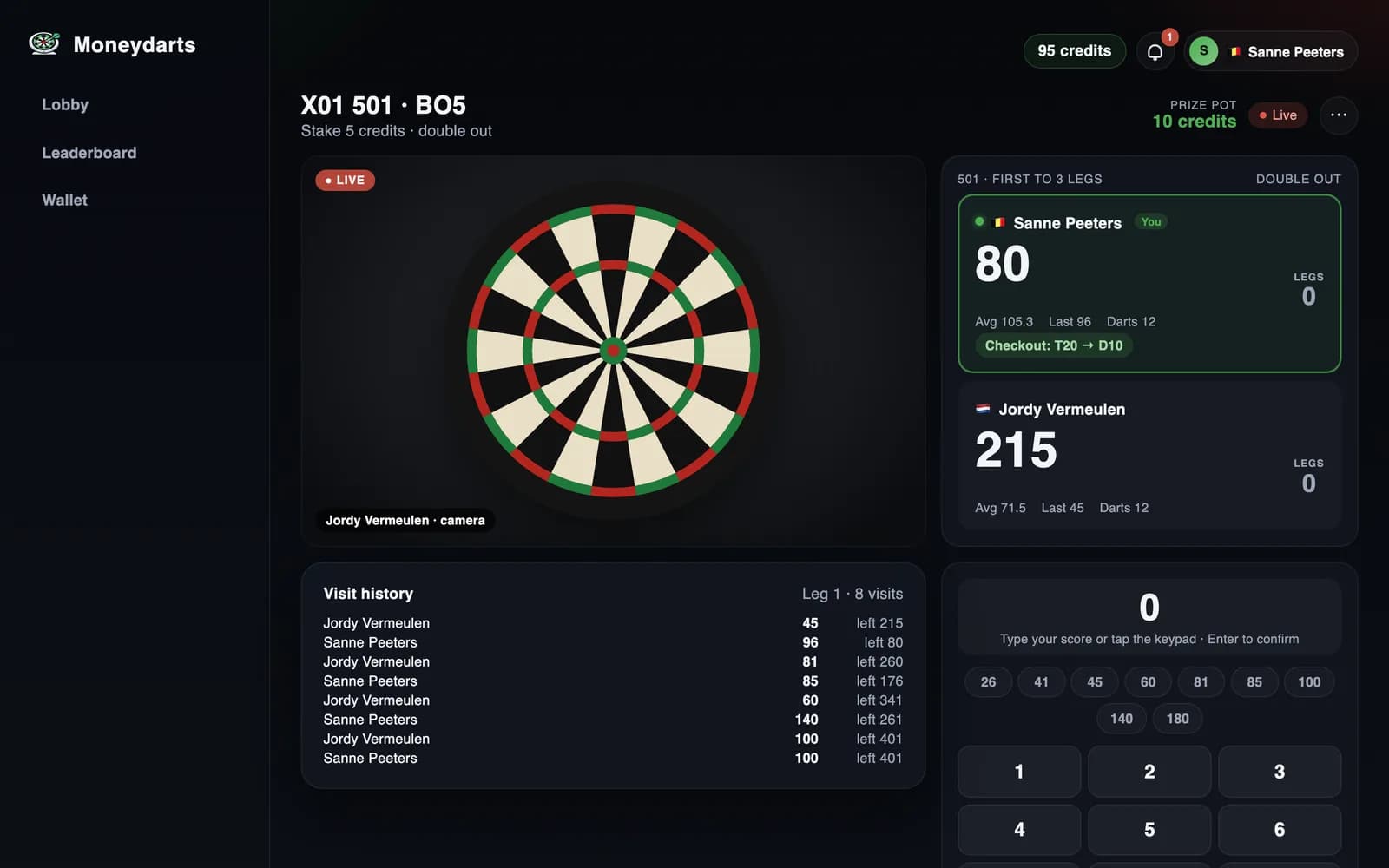
- Second screen — Use a tablet or second monitor to display the scoreboard while your main screen shows the video feed. This is especially useful on smaller laptops.
- External microphone — Your built-in mic works fine, but a clip-on lapel mic or desktop mic improves audio clarity if you like to chat with opponents during matches.
- Bluetooth speaker — Hear your opponent clearly without relying on your phone or laptop speakers.
- Board number ring — A removable number ring with larger numbers can make it easier for your opponent to read the board on camera.
Quick-start checklist
Here is your complete shopping list at a glance:
- Bristle dartboard (mounted at 173cm to bullseye center)
- Set of darts (steel tip, 20-26g recommended)
- Dartboard surround or backboard
- Webcam (720p+) or smartphone
- Tripod or stable mount for your camera
- Board lighting (surround light, desk lamp, or ceiling light)
- Internet connection (3-5 Mbps+ upload)
- Updated browser (Chrome, Firefox, Edge, or Safari)
Most players already have darts, a phone, and an internet connection — meaning you may only need a dartboard, tripod, and lighting to get started. Check our full setup guide for step-by-step mounting and positioning instructions.
Frequently asked questions
Can I use my phone as a webcam for online darts?
Yes. A smartphone mounted on a tripod is one of the best and most affordable camera options for online darts. Most modern phones have excellent cameras that exceed the 720p minimum requirement. Just open the platform in your phone browser or use a second device to play while your phone streams the camera.
Do I need a steel tip or soft tip dartboard for online darts?
Either works. Most online darts platforms support both steel tip (bristle) and soft tip boards. Steel tip bristle boards are the standard for competitive play and are used in professional darts. Soft tip boards are quieter and often preferred in apartments.
How fast does my internet need to be for online darts?
You need at least 3-5 Mbps upload and download speed for a smooth video call during your match. Most home broadband and 4G/5G connections easily meet this requirement. A wired ethernet connection is more stable than WiFi and reduces the risk of dropped frames.
How much does it cost to set up for online darts?
You can get started for under 100 euros. A decent bristle dartboard costs 30-50 euros, a basic tripod for your phone is 10-20 euros, and you likely already own darts and a smartphone. Premium setups with a dedicated webcam, ring light, and surround lighting can cost 150-300 euros total.
Got everything on the list? Start playing today.
Create your free account and throw your first online darts match in minutes.